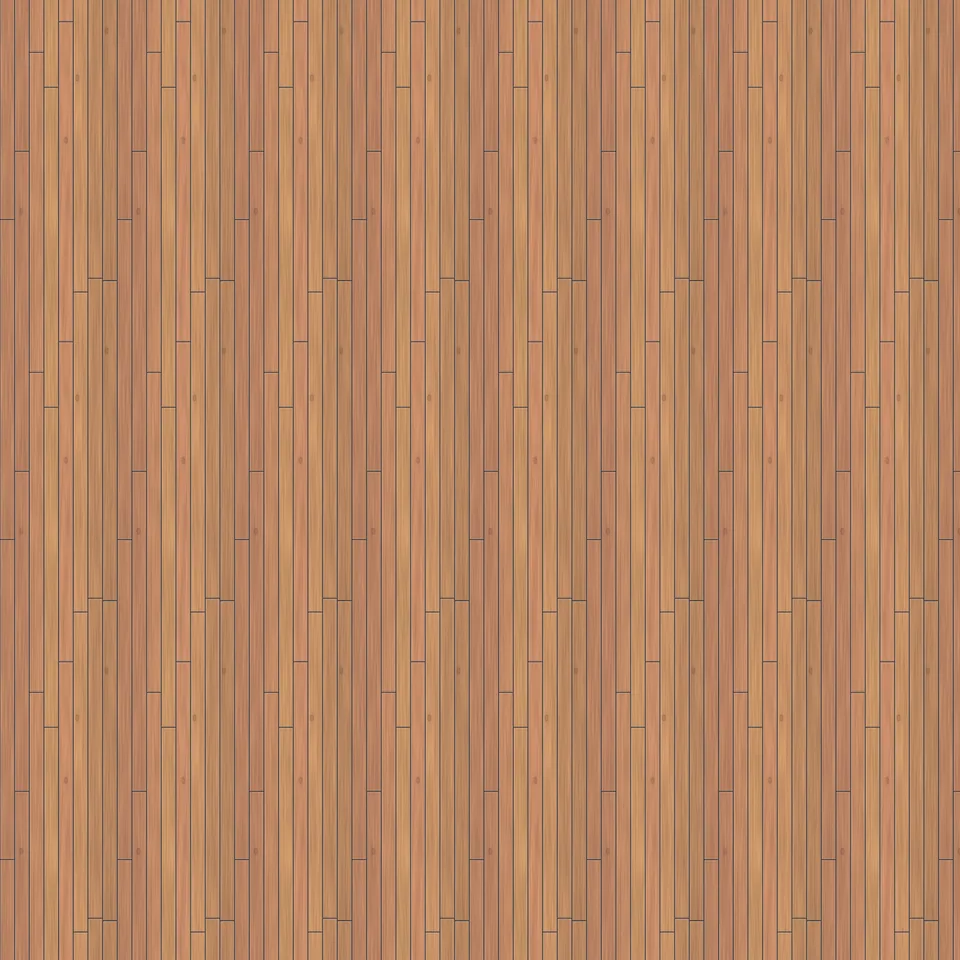
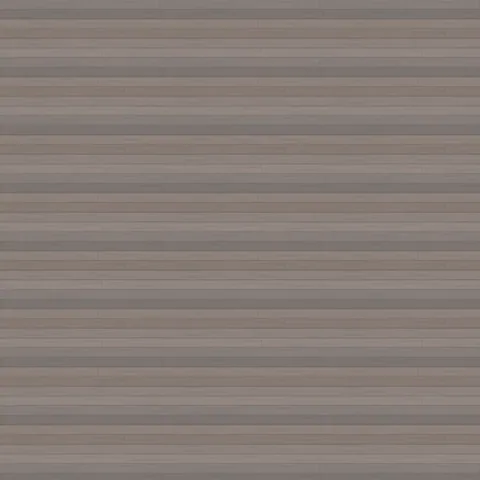
Vertical larch cladding texture
Opens this texture in Grain. No account needed.
Use in GridSnap: choose where to apply it in your floor plan. Opens the floor-plan editor in a new tab.
Free for personal and commercial use under the Gridsnap Texture Licence. No attribution required.
Vertical larch boards, 110 mm wide, with 10 mm open joints over a dark membrane, the rainscreen detail used on timber façades. Larch weathers well untreated; this is the fresh, warm colour.
Free download
Other formats
One repeat = 880 mm × 2.4 m
Every size on this page comes from the recipe the texture was generated from, not from measuring a photo. Set the texture size in your application to 880 mm × 2.4 m (0.88 m × 2.4 m) and every joint, board or chip comes out at its real size.
Colours
- orange · 76%
- tan · 14%
- dark brown · 10%
| One repeat | 880 mm × 2.4 m |
|---|---|
| Board width | 110 mm |
| Board length | 2.4 m |
| Boards per repeat | 8 rows × 1 length |
| Joint gap | 10 mm (open joint) |
| Boards run | Vertically |
| Grain | flat-sawn, growth rings ≈ 3.6 mm apart |
| Finish | Matt |
| Relief depth | 25.1 mm |
| Maps | base colour, normal, roughness, AO, 16-bit height |
| Resolutions | 1024 px, 2048 px |
| Revision | r1 · 5 October 2026 |
How to use it in Blender, SketchUp, Unreal and Twinmotion
The ZIP holds unpacked PNG maps and a README with the same numbers. The rules are the same everywhere: base colour is sRGB, every other map is linear (non-colour) data, the normal map is OpenGL style (+Y up), and one repeat is 880 mm × 2.4 m.
Blender (Principled BSDF)
- Base colour: Image Texture, Color Space
sRGB→ Base Color. - Roughness, metalness, AO and height: Image Texture, Color Space
Non-Color. - Normal:
Non-Color→ Normal Map node (Tangent Space) → Normal. OpenGL convention, so no green flip. - Scale with Object coordinates in metres: Mapping node Scale X =
1.1364, Y =0.4167(1 ÷ 0.88 m, 1 ÷ 2.4 m). - Height (optional): Displacement node with the Midlevel and Scale printed in README.txt.
SketchUp (with V-Ray or Enscape)
- Create a material from the base colour image and set its texture size to
880 mmwide ×2.4 mhigh (unlock the aspect ratio if they differ). - SketchUp itself shows only colour. Add the normal and roughness maps in the renderer's material editor, as data (not colour) maps.
- If the relief looks inverted in your renderer, flip the normal map's green channel there.
Unreal Engine
- Base colour: sRGB on.
- Normal: turn Flip Green Channel on in the texture settings (Unreal expects DirectX-style normals).
- Roughness, metalness, AO: sRGB off, compression
Masks. - Unreal units are centimetres: one repeat is
88 × 240 cm(e.g. the Texture Size of a WorldAlignedTexture node).
Twinmotion
- Use a PBR material and assign the colour, normal, roughness and metallic images.
- Set the texture size to 0.88 m × 2.4 m so the pattern is at real scale.
- Twinmotion is built on Unreal Engine: if the relief looks inverted, invert the normal map's green channel.
Blender settings follow the package README. The SketchUp, Unreal and Twinmotion notes are standard settings that have not yet been checked in those applications with these files.
Gridsnap Texture Licence
Free for personal and commercial work: renders, games, films, client projects, products. No attribution required. You may modify the texture and sell what you make with it.
Do not sell or redistribute the texture files themselves, or put them in another texture library, pack or marketplace.
Read the full licence → · Author: Gridsnap · Published 5 October 2026
Related textures
All wood textures →
Draw the room these surfaces belong in.
Gridsnap is a free browser-based floor plan editor with millimetre precision, live 3D and elevations. No signup.