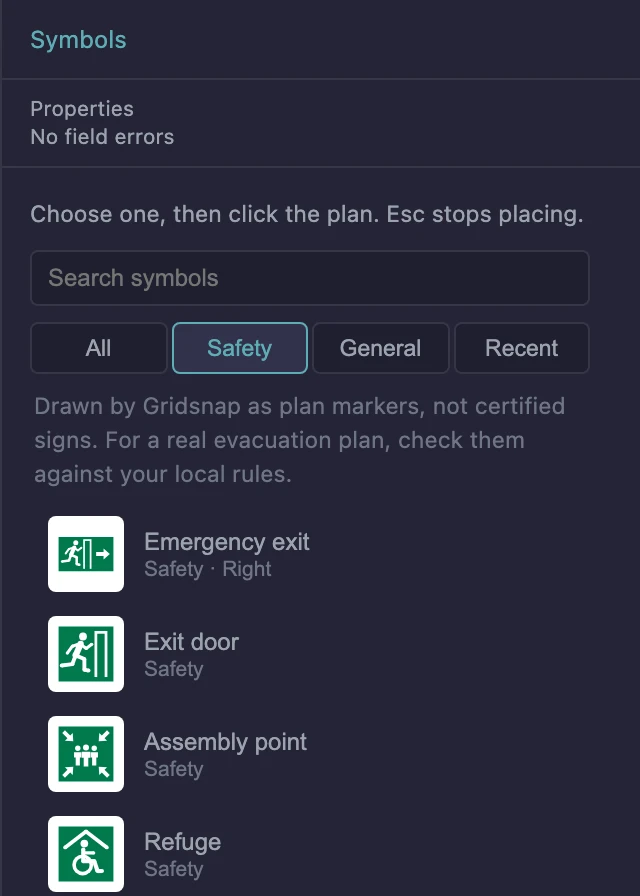
Choose Symbols under Annotations in the toolbox, pick a symbol in the library, and click on the plan to place it. The tool keeps placing the same symbol until you press Esc. The library has a search box, and tabs for All, Safety, General and Recent.
General symbols
| Symbol | Use |
|---|---|
| You are here | A location pin, with an optional Caption |
| Numbered marker | A number you type, up to four characters, to key a note to a place |
| Lettered marker | The same with a letter |
| Entrance pointer | Marks a way in. This is the one symbol that rotates |
Markers do not number themselves. Set the Number or Letter in the panel before you place the next one, or on a placed marker.
Safety signs
The Safety set has an emergency exit, exit door, assembly point, refuge, evacuation chair, first aid, defibrillator (AED), fire extinguisher, fire hose reel, fire alarm call point, fire blanket, no smoking and a general warning.
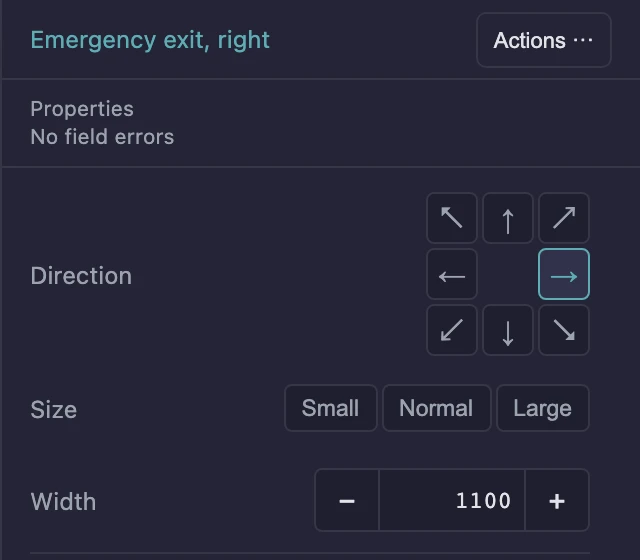
Their colours are fixed, and they stay upright. To point an emergency exit sign another way, use the eight-way Direction control in the panel.
These signs are drawn by Gridsnap as plan markers. They are not certified signs, and Gridsnap does not check an evacuation plan. If you need one for a building, check the signs and the plan against your local rules.
Set a symbol’s size
Select the symbol and choose a Size: Small, Normal or Large. Square signs are 500, 750 and 1000 mm wide on the plan. These are drawing sizes, not the size of a real sign. For an exact size, type a Width directly under the presets, from 50 to 20,000 mm.
Choose what the legend says
Safety signs, You are here and the Entrance pointer appear in a legend on their own. Their Legend text is under More options. A numbered or lettered marker appears only if you tick Include in legend, and you then type its Legend text directly below.
If a symbol is missing
A plan may hold a symbol this version of Gridsnap cannot draw, for example one placed with a newer version. It is kept and shown as a boxed “Missing symbol” note. Its panel offers Replace with and Delete, and Print & export names it, with a Locate button that takes you to it.
What this doesn’t do
- You cannot upload your own symbols.
- A symbol is not attached to a wall or a door. It stays where you put it.
- Nothing here is a compliance check.